
League2GO lets you share the work of running a league. This guide explains what each role can do, how to grant access, and what to know before transferring ownership of your league.
The roles at a glance
Owner
Every league has exactly one owner: the person who created it (or received it through an ownership transfer). The owner can do everything a manager can, plus:
- Buy game credits: only the owner can purchase credits, and only on the league2go.com website (see pricing and game credits).
- Transfer the league to a new owner.
Managers
Managers (co-managers) have the same permissions as the owner for day-to-day management (teams, players, schedule, settings, results), except that they cannot transfer the league to a new owner.
Captains
Captains are set on a team, in the team’s settings (see teams and team settings). For their own team, captains can:
- Declare the absences of their players and launch substitute searches.
- Edit the information of players who have not yet registered.
- See player skill ratings and private notes.
Team settings can also route absence and substitution notifications to the captain instead of the league managers.
Scorekeepers
Scorekeepers enter goals and update your statistics, live during the game or after it ends. They have access to all games in the league schedule, but not to your league management. See results, standings and statistics.
Adding a manager or a scorekeeper
The person must first have a League2GO account of their own. Then, in the Access tab of your league settings, add their account as a manager or as a scorekeeper.
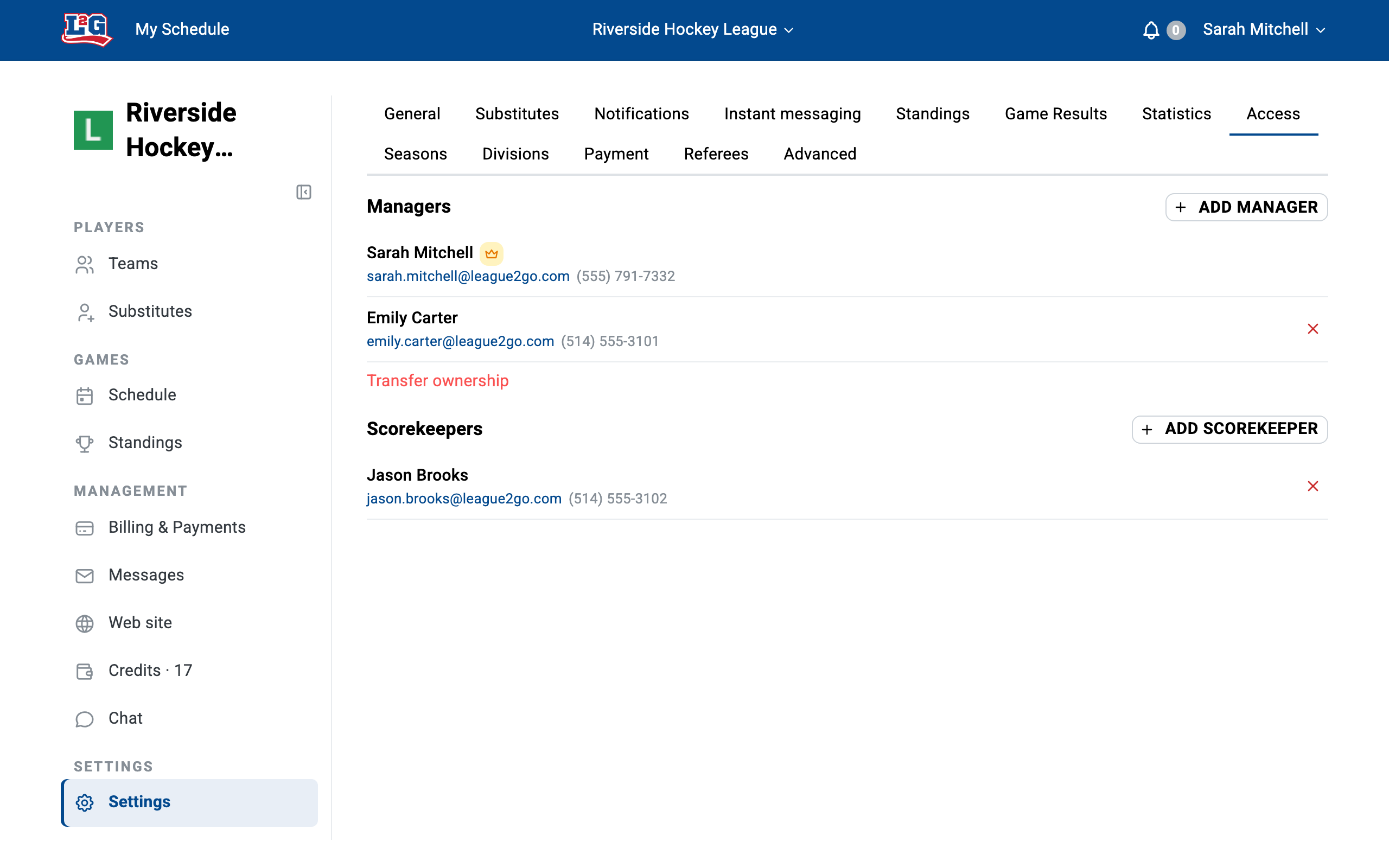
If the person doesn’t have an account yet, ask them to sign up at league2go.com first.
Use individual accounts, not a shared login
Give each manager, captain and scorekeeper their own account instead of sharing one login. Individual accounts let everyone receive their own notifications, keep their own contact information, and can be added or removed from the Access tab at any time, without resetting a shared password when someone leaves.
Transferring league ownership
To hand your league over to a new owner, go to the Access tab of your league settings and use the transfer ownership option. The new owner must already have a League2GO account. The operation cannot be reversed by the previous owner.
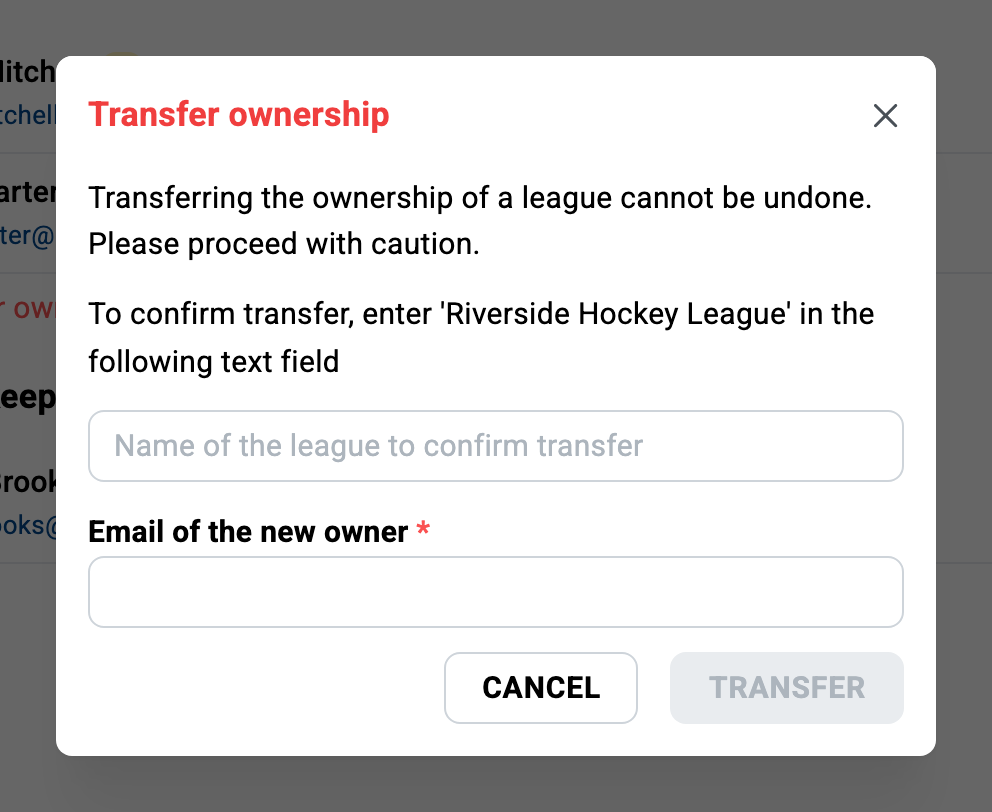
Warning about game credits: game credits belong to the person who bought them, not to the league. They do not follow the league to the new owner; unused credits stay with the previous owner. Before transferring:
- Use up the remaining credits first, or
- Contact us at info@league2go.com to arrange moving the credits to the new owner.
See pricing and game credits for how credits work.
Questions? Contact us at info@league2go.com.