
League2GO is priced per game: every game you create on the schedule consumes one game credit. There are no subscriptions, all features are included, and the platform is always free for your players and substitutes.
Your first games are free
Every league starts with 15 free games. That is usually enough to run your league for a while and confirm it fits your needs before buying anything.
Buying game credits
When your free games are used up, buy game credits:
- Only the league owner can buy credits.
- Credits are bought on the website, on the purchase page. App-store rules do not allow buying them in the mobile app.
- Buy the number of credits you need; buying more at once unlocks volume rebates. See the purchase page for current pricing.
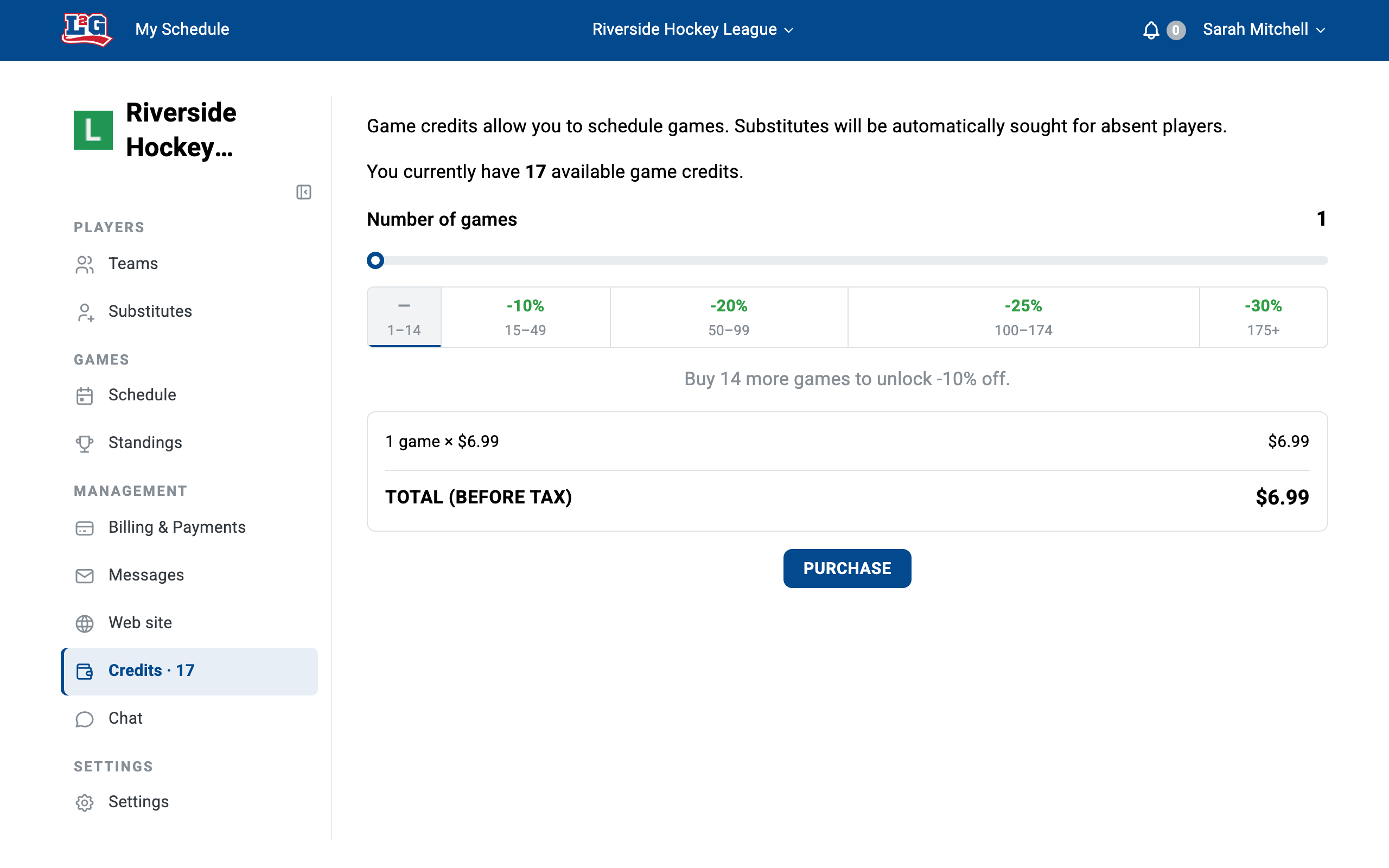
The game-credit purchase page: your remaining credit balance, the quantity slider with the volume-discount tiers, and the price summary before tax.
How credits behave
- Credits never expire. Unused credits stay available season after season.
- Credits belong to the buyer, not to the league. The same balance can be used across all leagues you own.
- Credits do not follow a league ownership transfer. If you transfer your league to a new owner and want the remaining credits moved too, contact us at info@league2go.com.
See roles and access for how ownership transfers work.
Deleting a game refunds its credit
If you delete a game before its start time, its credit is automatically returned to your balance. This is also how you “reschedule” a game: delete it, then create a new one at the new date. See schedule and calendar.
Questions? Contact us at info@league2go.com.