
The league calendar is where you create and manage your games, on the website or in the mobile app. Each game uses one game credit; if you run out, purchase more by logging in on the website. Purchasing game credits is not possible in the app. See pricing and game credits.
Creating games
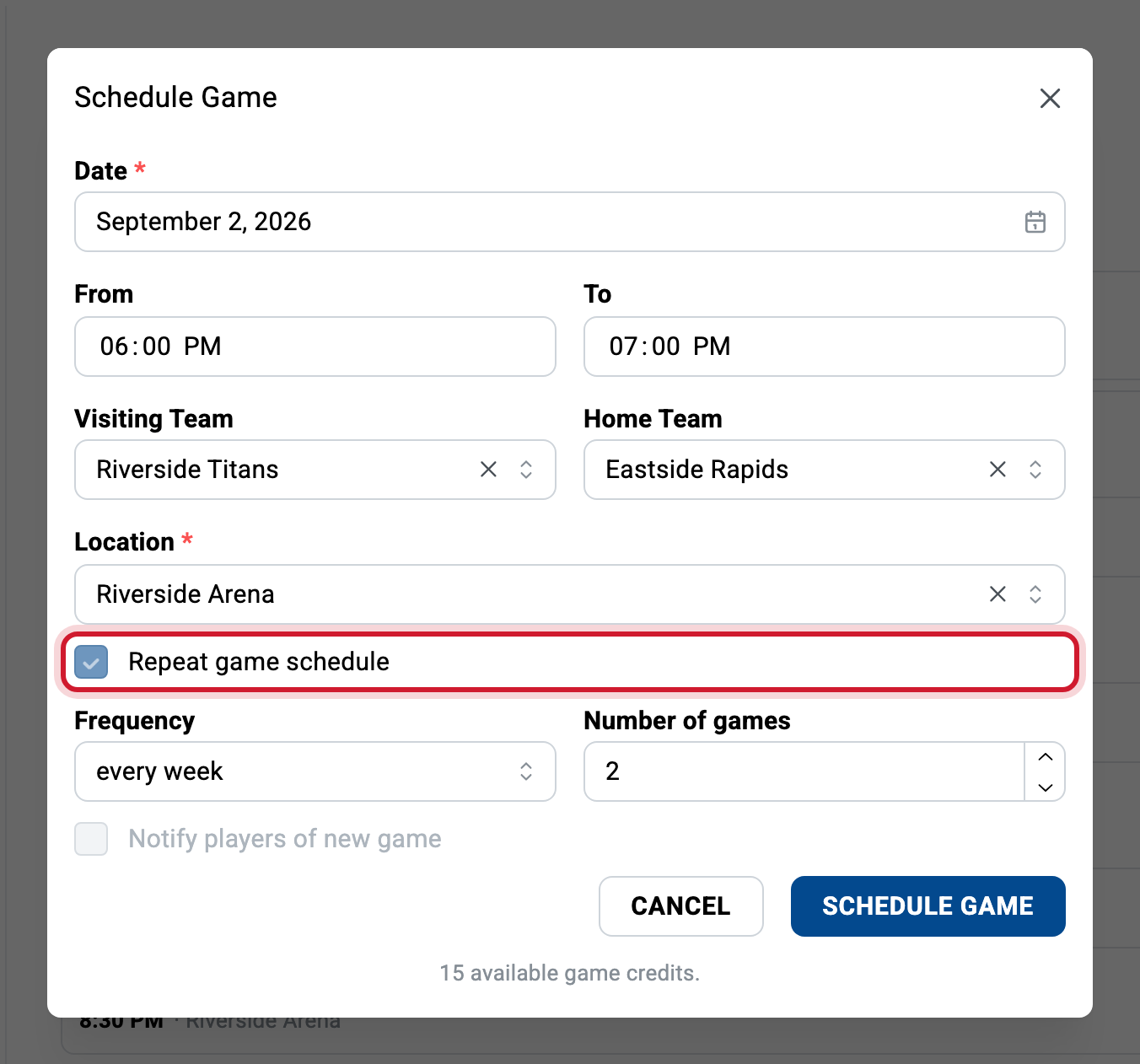
From your league’s calendar tab, click the Add game button and enter the requested information. Each game consumes one game credit. See pricing and game credits.
If your games are weekly, use the Repeat game schedule option to automatically create multiple games with the same settings.
Reading the calendar
Color codes help you distinguish games at a glance:
- Blue: the next game.
- Red: games where players are currently missing.
- Yellow: past games waiting for their results to be entered.
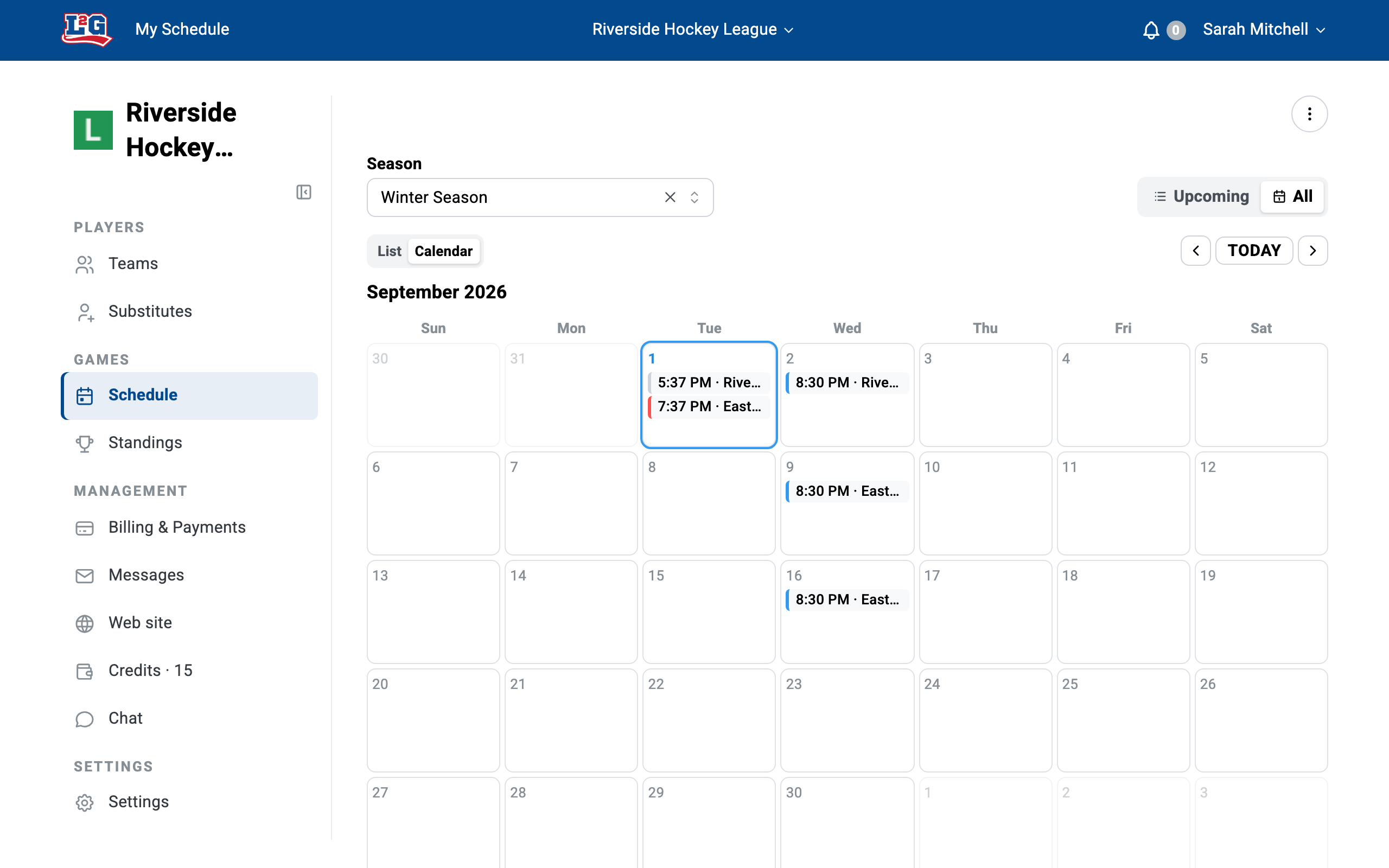
To see a game’s details, click the game in the calendar. Managers run game-day actions from there. See game day.
Moving or rescheduling a game
From the league calendar, you can edit a game’s start and end time, its teams, its location and its type (game or practice). What cannot change is the day: a game stays on the calendar day it was created on.
To move a game to another day:
- Delete the game from the league calendar, before its start time. The game credit is automatically returned to you.
- Create a new game at the new date and time.
Cancelled or rained-out games
The same rule applies to a cancelled game (bad weather, arena closed, holiday): delete it before its start time and the credit is refunded. If the game is rescheduled, create a new game at the new date.
Note that deleting a game does not notify players by itself; use messaging to tell them about the cancellation.
Games in the past
Games whose start time has passed cannot be deleted by managers. If you need to remove a past game, contact us at info@league2go.com.
“My games disappeared”
If games are missing from the calendar, they are almost certainly hidden by the season filter: games outside the selected season’s date range are not shown. Clear the filter with the X beside the season name, or adjust the season dates. See seasons for details.
Related articles
Questions? Contact us at info@league2go.com.