
League2GO tracks game results, team standings, and player statistics. Everything is configurable, so your league records exactly the level of detail it needs.
Configuring what gets recorded
In the Results tab of your league settings, choose the information that is entered for each game. This determines how detailed your standings and statistics are. For example, you can choose to record penalties, goal times, and faceoffs.
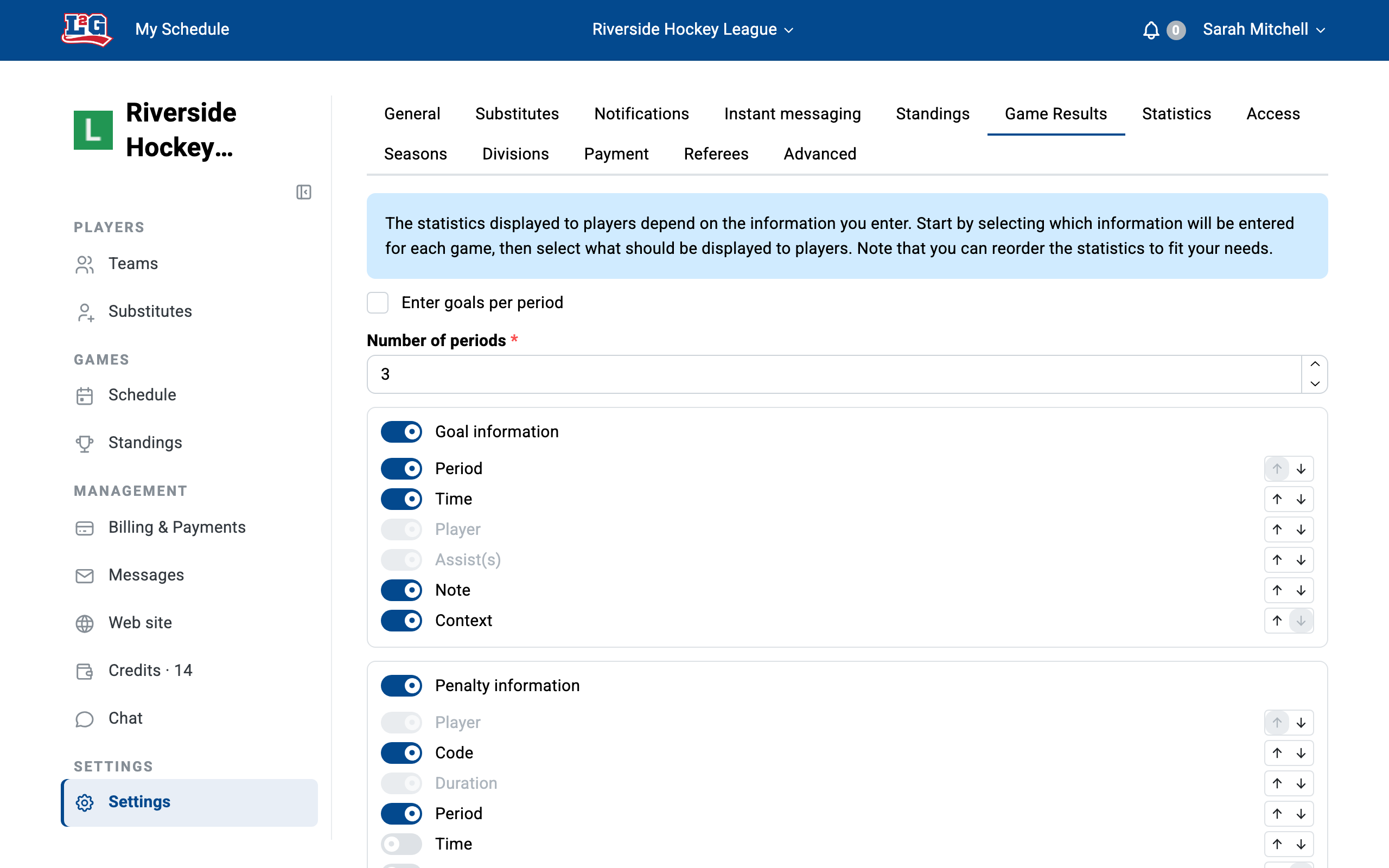
Then, in the Statistics tab of your league settings, decide which statistics are displayed to your players. If you prefer to keep this information for managers only, disable the display of statistics to players.
Entering game results
Each game has a Results tab. From there, enter the score, goals, penalties, and each player’s statistics. You can enter the information live during the game from a tablet or a phone. Once a game’s data is entered, players in the game can open the Results tab to consult it.
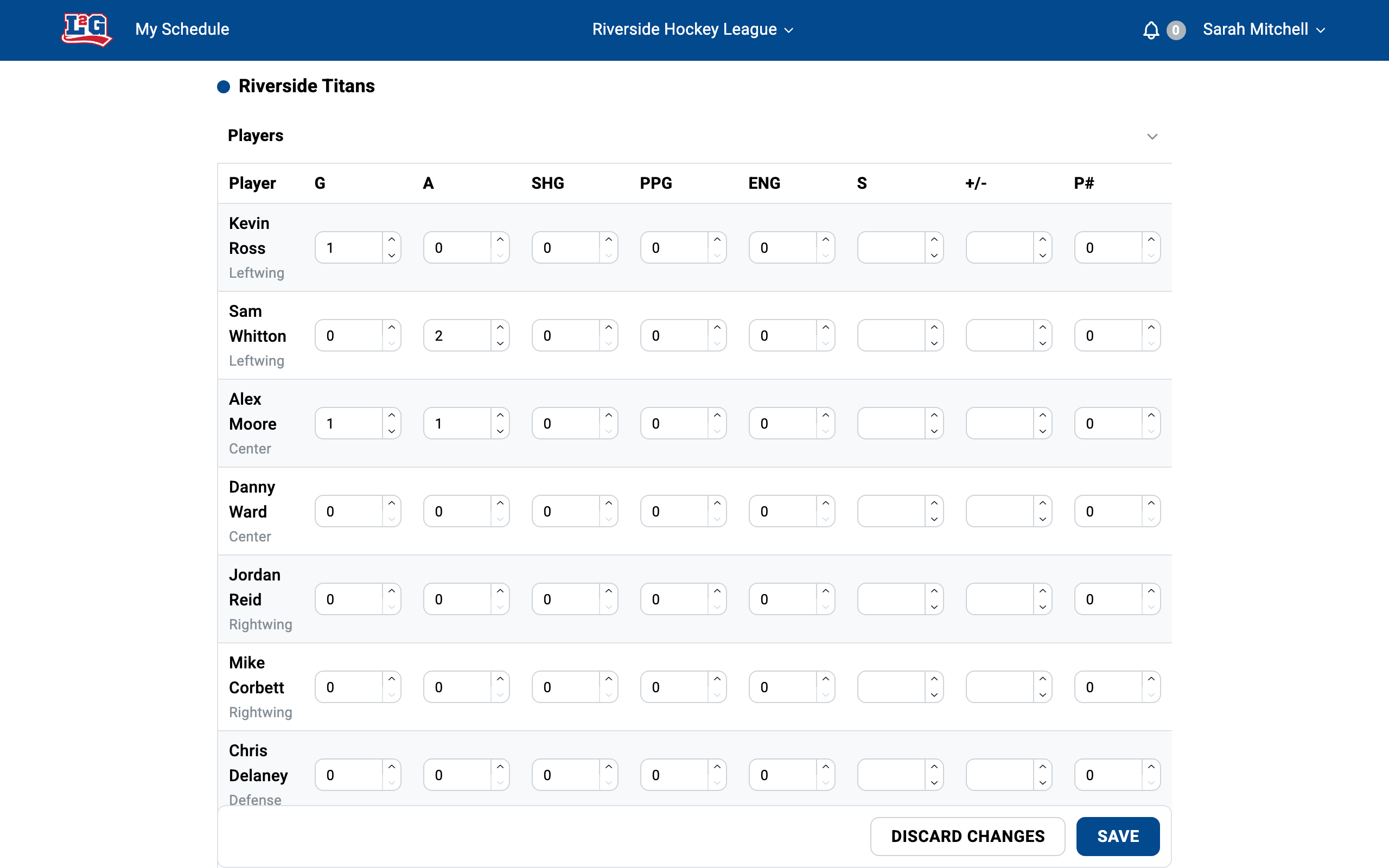
League administrators can enter results, and you can also give someone the scorekeeper role so they can enter results without other management rights. See roles and access.
To collect statistics on paper during the game, export the lineup to CSV first. See game day.
Standings and tiebreakers
Standings are computed from the results you enter. When teams are tied, tiebreak rules decide the order. The legend under the standings table explains the tiebreak rules applied to your league.
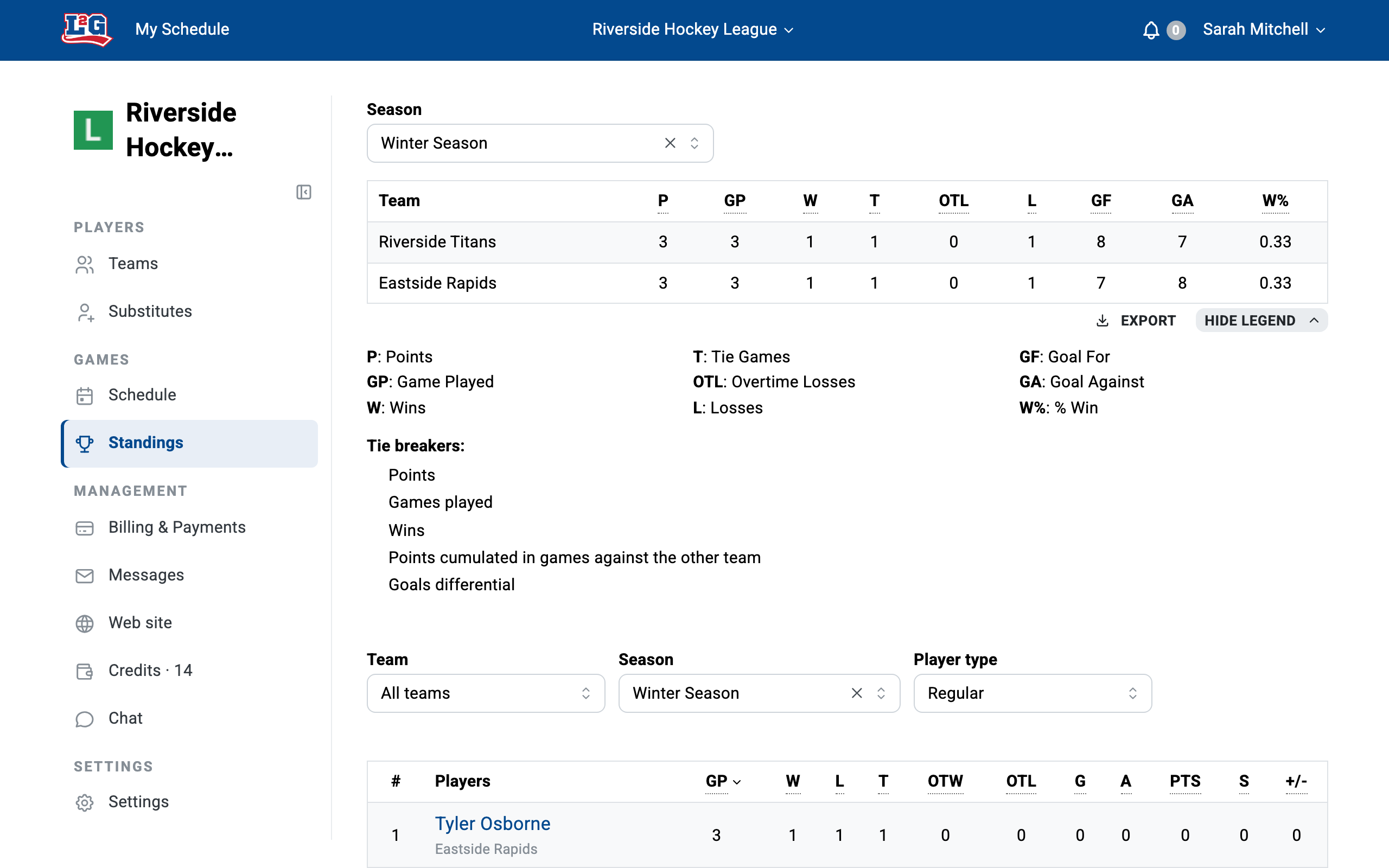
Who can see individual statistics
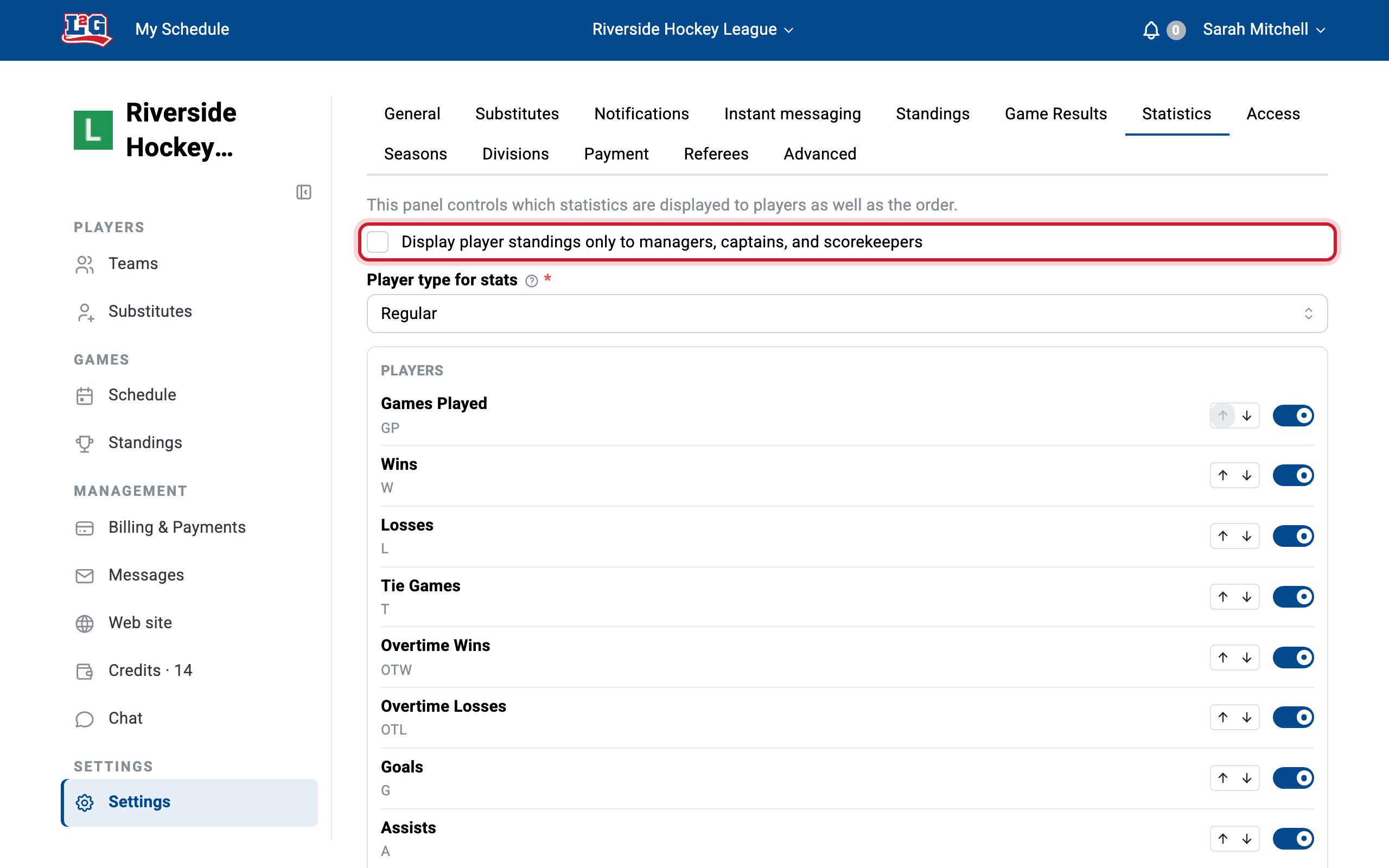
By default, individual player statistics are visible to everyone in the league, players included. To keep them for league staff only, open the Statistics tab of your league settings and check Display player standings only to managers, captains, and scorekeepers. The same tab also lets you choose which of the recorded statistics are displayed, and, with Player type for stats, whether the tables cover regular players, substitutes, or both.
Substitute statistics
Statistics earned by a player while playing as a substitute are tracked separately from the statistics they earn as a regular player. This is by design: substitute performances do not count in the regular statistics, and the two cannot be merged.
Past seasons and season resets
Statistics belong to a season. When you create a new season, standings and statistics start from zero; previous seasons and their statistics are kept and remain consultable. See seasons.
To enter results from previous years, create seasons with past dates and enter the games and results under those seasons.
Questions? Contact us at info@league2go.com.