
Teams and their regular players are managed from the Teams tab of your league. Substitutes have their own tab: the Substitutes tab manages the substitute bank of the league and of each team (see substitutes overview).
Creating teams
Two teams are automatically added when you create your league. If your league has more teams, use the Add team button in the Teams tab.
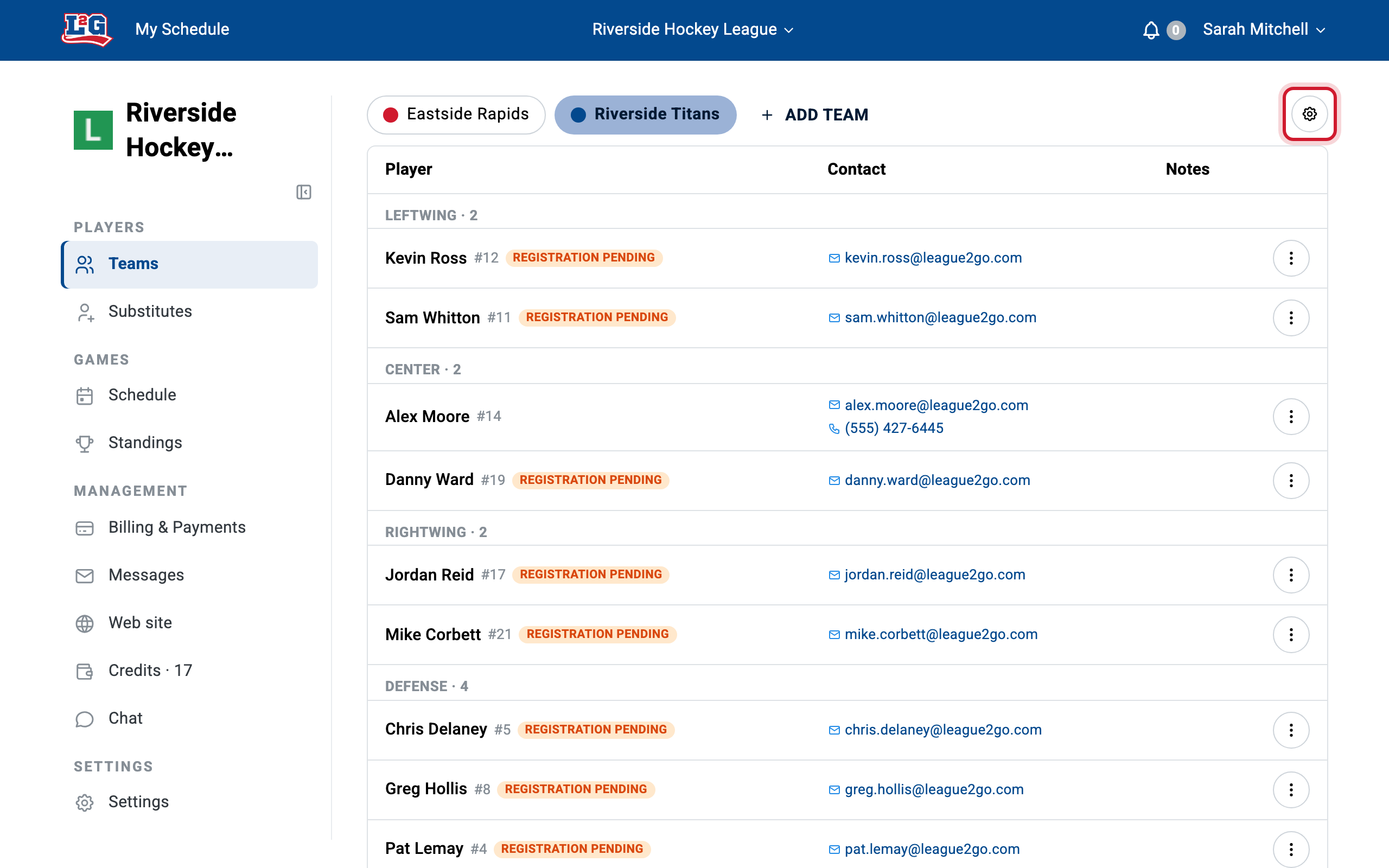
To add players to your teams, see adding players.
Team settings
To change a team’s name or settings, click the team’s gear icon in the Teams tab.
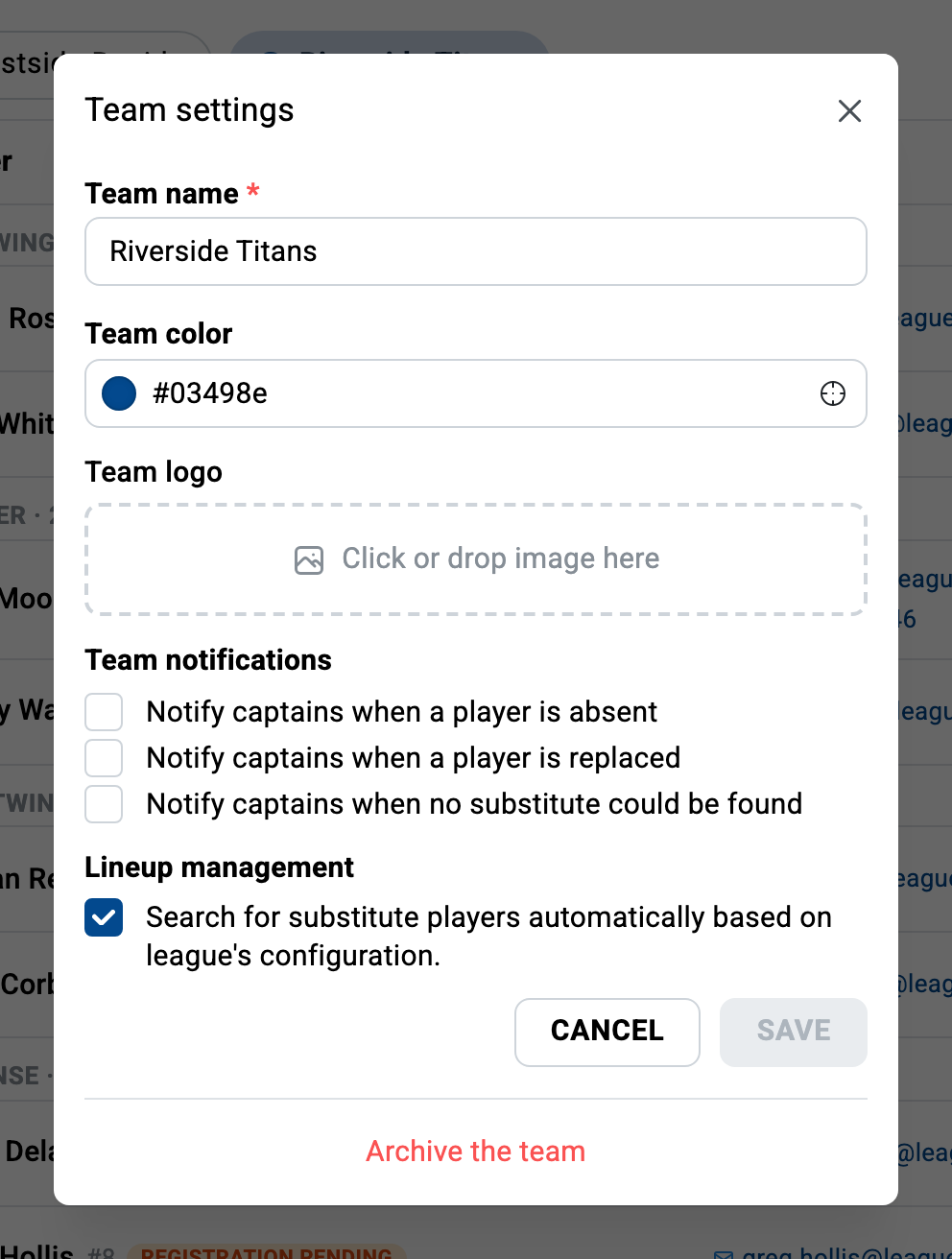
Logo and colors
You can set a team color to easily recognize the team across the pages, and upload a team logo to give visibility to your sponsors or simply personalize your league. Logos appear on team pages, in the calendar, in the standings, and in game details. Captains and managers can set them.
Target number of players per position
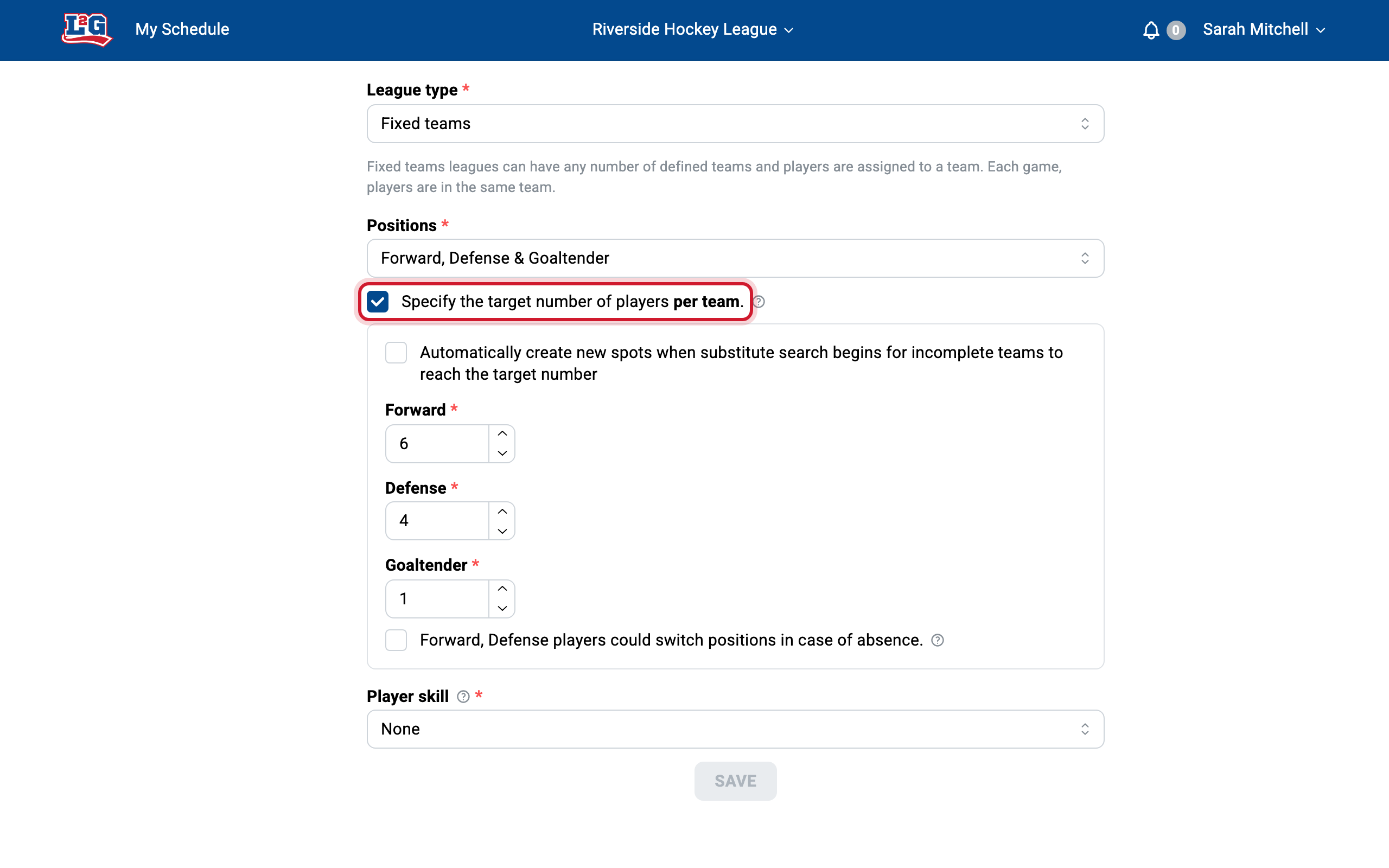
In the General tab of your league settings, enable the “Specify target number of players per team” setting and configure a target for each position. This setting drives two behaviors:
- When substitute searches trigger. A search only starts when the team is below its target: if the number of players at a position already meets the configured target, an absence does not trigger a search, and no substitute is contacted for a position that is already full. Use this if you do not want every absence replaced automatically.
- Auto-filling incomplete teams. If a team has fewer regular players than the target, League2GO automatically adds open spots for the missing players when the substitute search starts for a game, and fills them from your league’s substitutes. This lets you run a team that does not have a full roster of regulars.
For how searches contact substitutes (favorites, delays, rating ranges), see substitute search settings.
Team notifications
By default, league managers are notified about absences and substitutions. Each team’s settings let you route these notifications to the team captain only: the captain is informed when a player of that team is absent, is replaced, or when no substitute was found, instead of the league manager. Managers can still choose to receive these notifications for the whole league in the Notifications tab of the league settings.
See roles and access for what captains and managers can do.
Related articles
Questions? Contact us at info@league2go.com.