
This guide explains how to add players to your league, how they get access to their schedule, and how to make their onboarding smooth.
How joining works: there is no invite link
Understanding this model is the key to a smooth start for every player:
- When you add a player, you enter their email address and cell number. League2GO automatically sends them a welcome message inviting them to register; you never need to create or share an invite link.
- The player then creates their own account at league2go.com using the exact same email address and cell number you entered. This match is what links their account to your league.
- One account is enough for everything: a person uses the same League2GO account to be a player, substitute, captain or manager in any number of leagues.
If the player signs up with a different email or phone number than the one you typed, their account will not be linked to your league and they will not see the schedule.
Adding a player to a team
To add a player, open the Teams tab of your league and click the Add player button below the team’s roster. Enter the player’s email address or cell number: this is the information they will use to sign in to League2GO. You can also set their positions, jersey number and other details (see managing players).
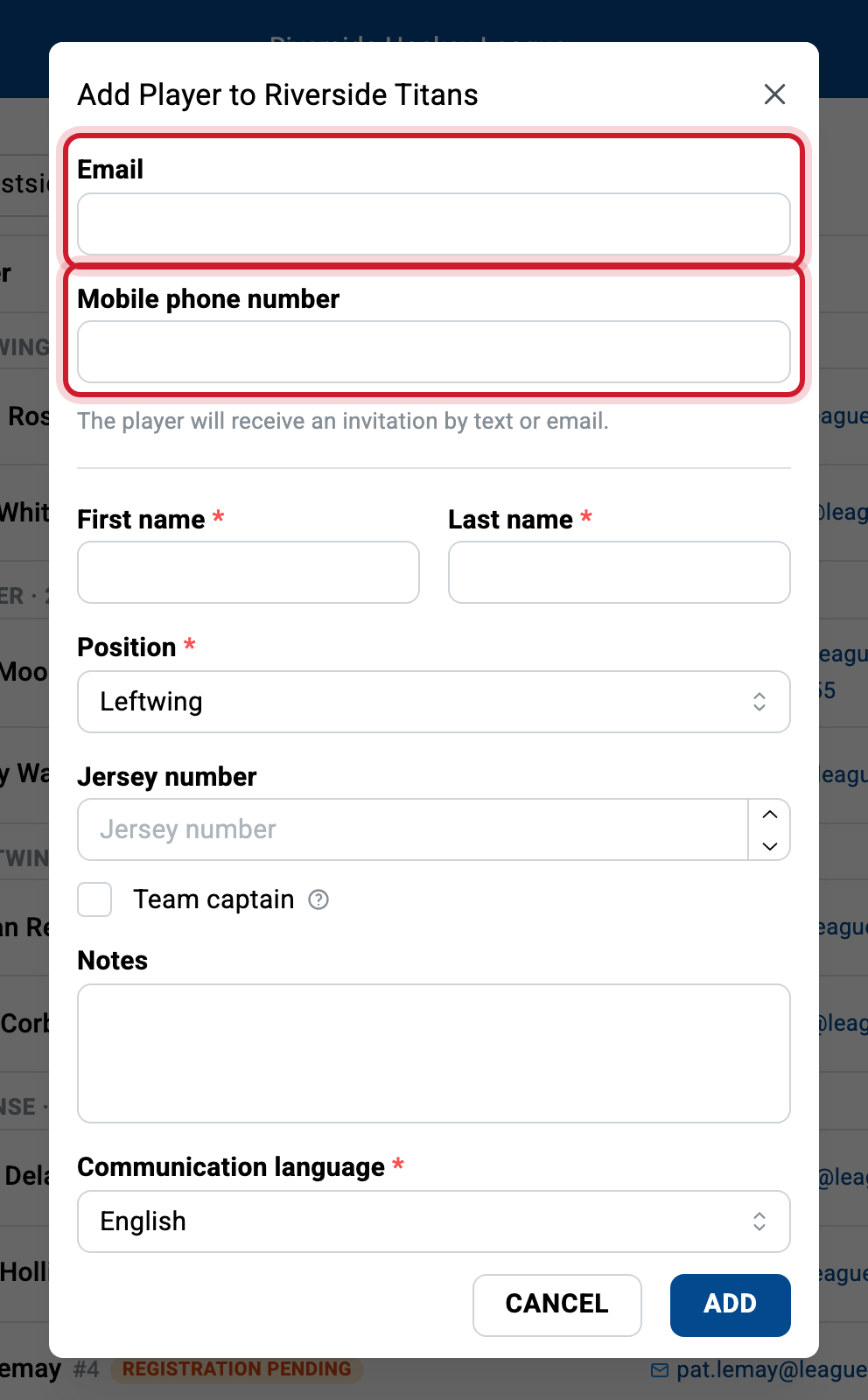
Once added, the player automatically receives a message inviting them to complete their registration so they can access the league schedule.
An indicator next to a player’s name shows that they have not completed their registration yet.
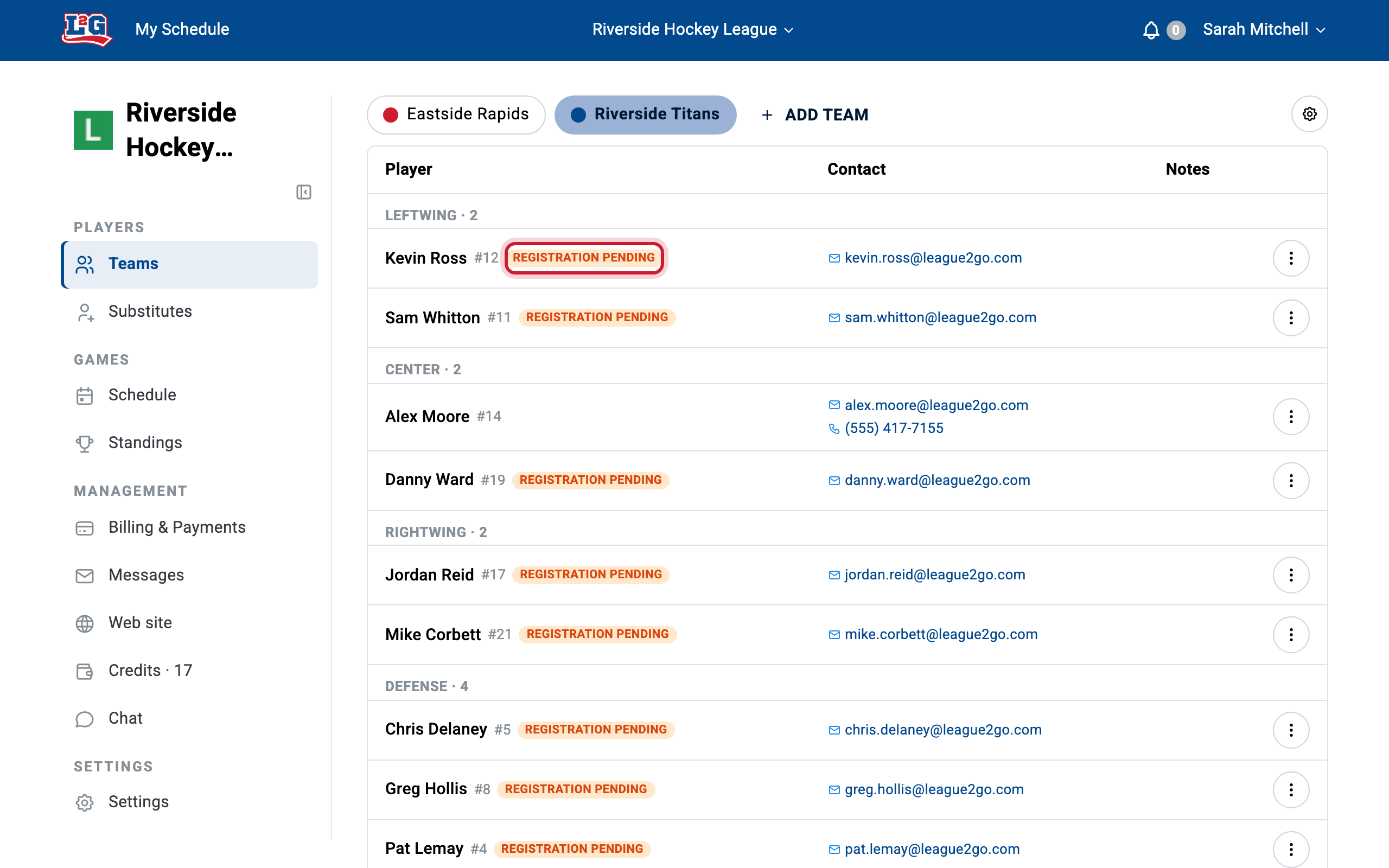
Automatic registration reminders
Players often lose the welcome message. League2GO automatically sends a reminder to players who have not completed their registration after a week, so you don’t have to chase them. Until they register, they can’t declare their own absences; you or the team captain must do it for them.
Note that SMS invitations stop being sent to players who still haven’t registered after about a month. If that happens, the fastest fix is usually to delete and re-add the player, or to ask them to register directly at league2go.com with the same email and cell number.
Fixing a typo in an email or phone number
- Before the player has registered: delete the player from the team and add them again with the correct email address and cell number. A new invitation is sent automatically.
- After the player has registered: only the player can edit their own contact information, from their own account. Managers cannot change a registered player’s email or phone number.
If a player says “I can’t see the league”, compare letter for letter the email and cell number in your league with the ones on their account: a mismatch is almost always the cause.
Once your players are in, see managing players to move them between teams, convert them to substitutes, and fill in their jersey numbers, positions and skills.
Questions? Contact us at info@league2go.com.