
You have one League2GO account, and it works for all your leagues. Understanding how a league gets linked to your account solves almost every login problem.
How your league finds you
There are no invitation links. Your league manager adds you by entering your email address and cell phone number, and your account is linked to the league when your login coordinates exactly match what the manager entered.
That means:
- Sign up with the exact email and cell number your manager has on file. Not your other email, not your work email from years ago: the exact ones.
- If either one differs (a typo, an old address, a different number), the link is not made and you won’t see your league.
Not sure what the manager entered? Ask them. They can read you the email and number they typed.
“This email (or phone number) is already in use”
This message means an account with that email or number already exists, usually one you (or a teammate, or a manager) created earlier and forgot about.
Do not create a second account with different coordinates: it won’t be linked to your league. Instead, contact us at info@league2go.com and we will merge the duplicate accounts for you.
“I can’t see my league or my games”
If you can log in but your league or schedule is missing, your account coordinates don’t match what the manager entered. To fix it:
- Ask your league manager what email and cell number they entered for you.
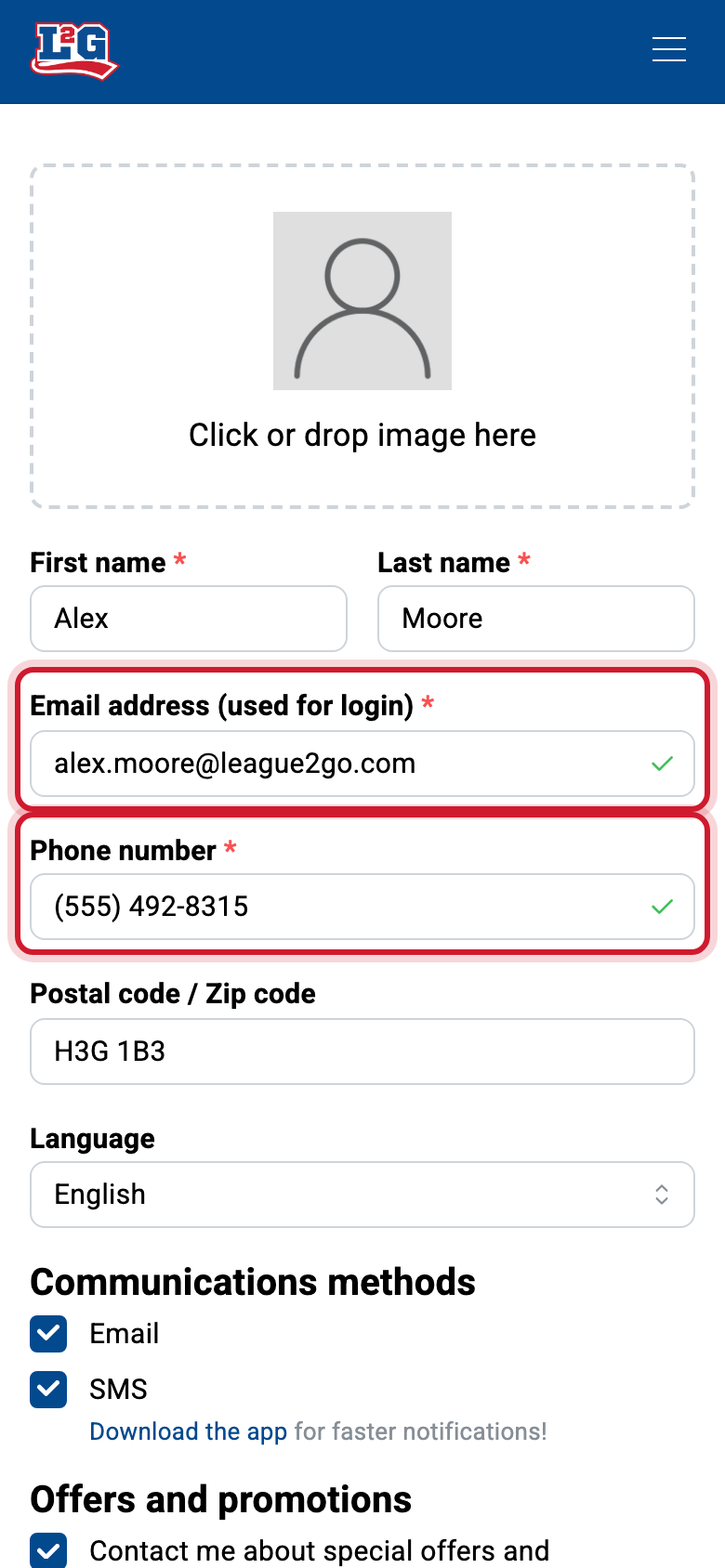
- Compare with the email and number on your account (in your profile).
- If yours are different, either update your profile to match, or ask the manager to correct their side: a manager fixes a typo by deleting you and re-adding you with the right coordinates.
Resetting your password
Password reset happens on the website at https://league2go.com. Use the “forgot password” link on the login page.
- The reset email can land in your spam folder.
- The reset link is time-limited; use it soon after it arrives, or request a new one.
- Your new password needs at least 8 characters.
Once your password is changed, use it to sign in on the website and the mobile app.
Changing your email or phone number
Once you are registered, only you can edit your contact info; your manager can’t change it for you. Update your email or cell number in your profile; your leagues stay linked, and your manager sees the updated coordinates.
Joining a second league
Nothing to do on your side: give the new league’s manager the same email and cell number you already use on League2GO. As soon as they add you, the league appears in your account, next to the others.
Related articles
Questions? Contact us at info@league2go.com.