
League2GO notifies you about substitution requests, absences, messages and game reminders. This article explains the three notification channels, the rules that decide which one you receive, and how to control your own preferences.
The three channels
- Push notifications: sent by the mobile app. Push is the fastest channel: since substitution spots go to the first substitute who accepts, push gives you the best chance of getting the available spot in the next game you want to play.
- SMS (text messages): used for players who have not installed the app, including the automated invitation sent when a manager adds you to a league.
- Email: used according to your preferences, and for messages that need full content (league messages, invitations).
The rules to know
- Push replaces SMS once the app is installed. As soon as you sign in to the mobile app and allow notifications, League2GO sends you push notifications instead of SMS.
- SMS invitations stop after about a month. If you were added to a league but never completed your registration, the automated SMS stop being sent after roughly one month. To receive them again, register at league2go.com with the exact email and cell number your manager entered, or ask your manager to re-add you.
- Emails can land in spam. If you are missing League2GO emails, check your spam or junk folder and mark them as “not spam”.
Game reminders
Your league can send an automatic reminder before each game. The league manager configures it (including how many days before the game it is sent) in the Notifications tab of the league settings. Regular players and substitutes who accepted a replacement receive the reminder through their preferred channel.
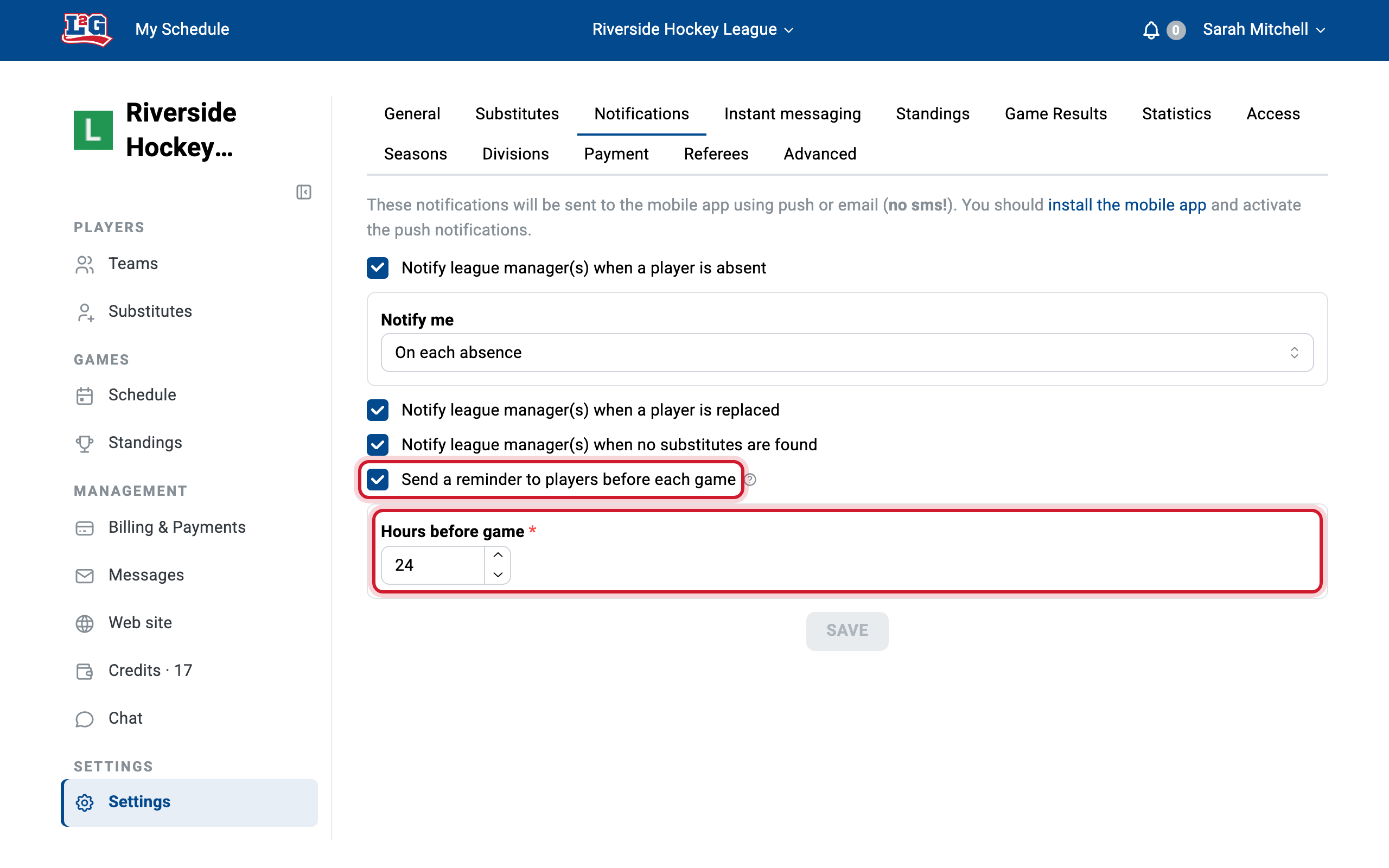
If you are not receiving reminders, your league may simply not have them enabled. Ask your league manager.
Your notification preferences
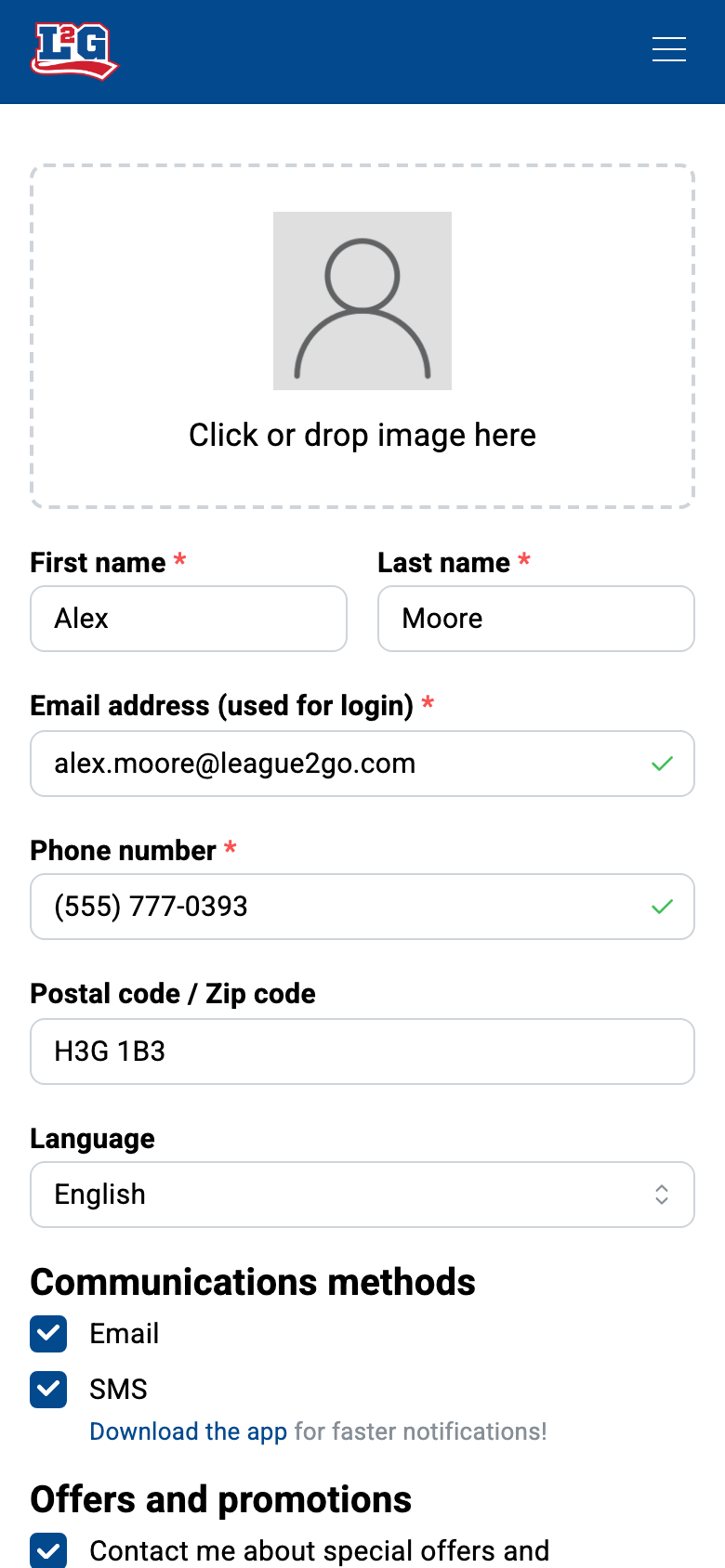
You control how League2GO contacts you from your own profile: open your profile and adjust your notification preferences. Managers cannot change them for you. See your account for everything else you can manage in your profile.
Push notifications not working?
If push notifications stopped arriving on your phone, follow the full troubleshooting guide in mobile push notifications: send yourself a test push from your profile, check the phone’s notification permissions, update the app, and reinstall as a last resort.
Questions? Contact us at info@league2go.com.