
When you create your league, you choose one of two league types. The type determines how teams and rosters work.
You choose the type at creation, and you can change it later in league settings, under General > Type. Switching to pick-up requires exactly two active teams; archive the other teams first. When you switch, League2GO migrates your league automatically: players are merged into the pick-up pool, team substitutes become league substitutes, and team captains become league managers.
Fixed teams
The conventional format, best for leagues with stable rosters:
- The league can have more than two teams.
- Players are assigned to a team by a manager, usually for the season, and keep their team at every game.
- A team can have captains.
- Managers can add team-specific substitutes as well as league substitutes shared across all teams. See managing substitutes.
- Team standings are generated from the game results.
Pick-up
Designed for smaller groups that redraw the teams at every game:
- The manager enters a single list of players without assigning them to a team.
- At each game, two teams are formed by the manager, or generated randomly from the league’s player list.
Creating the lineup for a pick-up game
Before a game starts, open the game details and click Create lineup. Assign players to the two teams manually, or click Generate random lineup. Not satisfied with a random lineup? Click the button again for a new one, or make the final adjustments by hand.
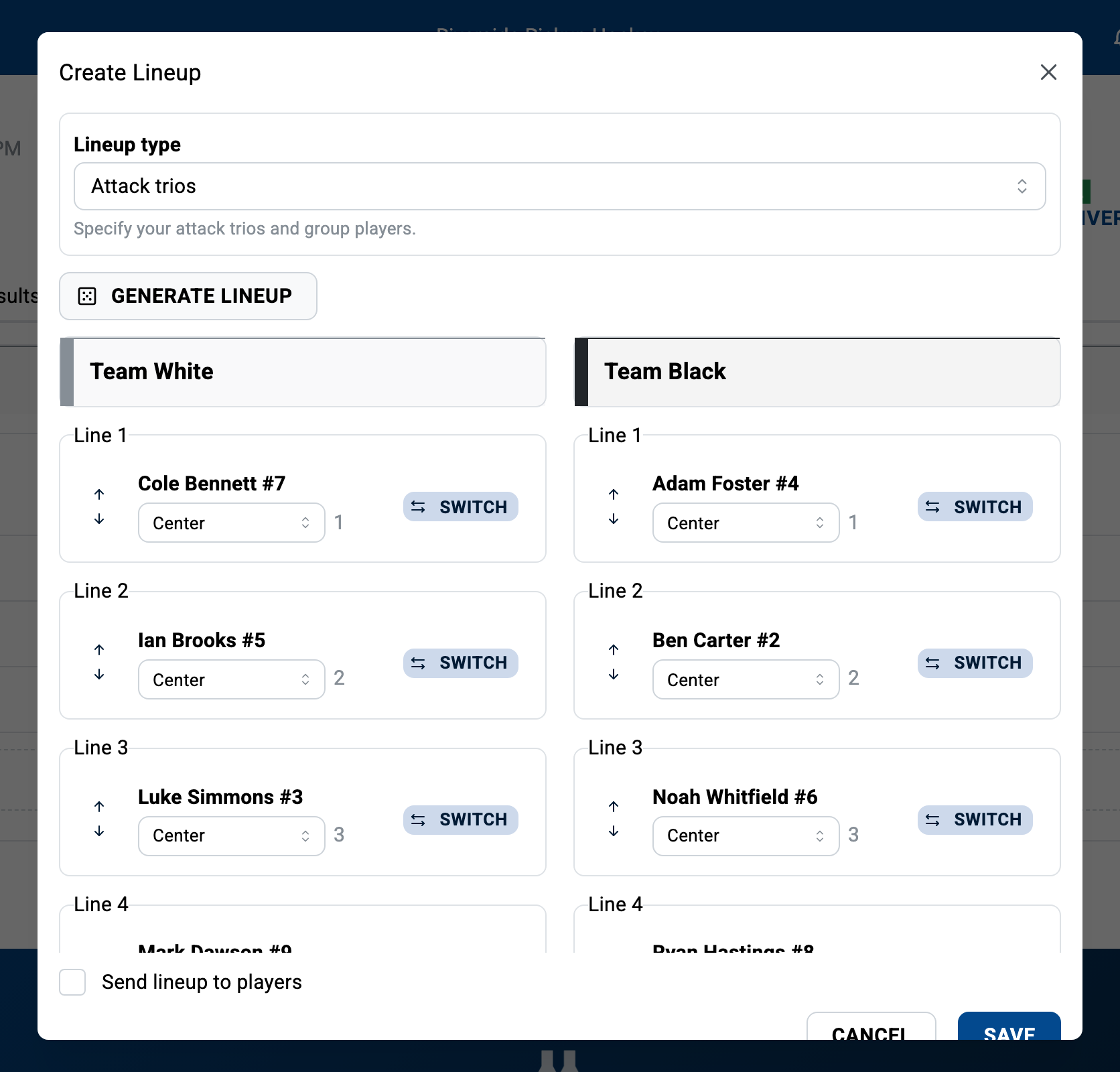
Once satisfied, select Send lineup to players to notify everyone, or print the lineup to post at the arena.
Even in a pick-up league, the two teams have a name, a color and a logo; customize them under Settings > Teams.
Questions? Contact us at info@league2go.com.