
League2GO offers two models for knowing who will be at a game.
Default: players declare absences
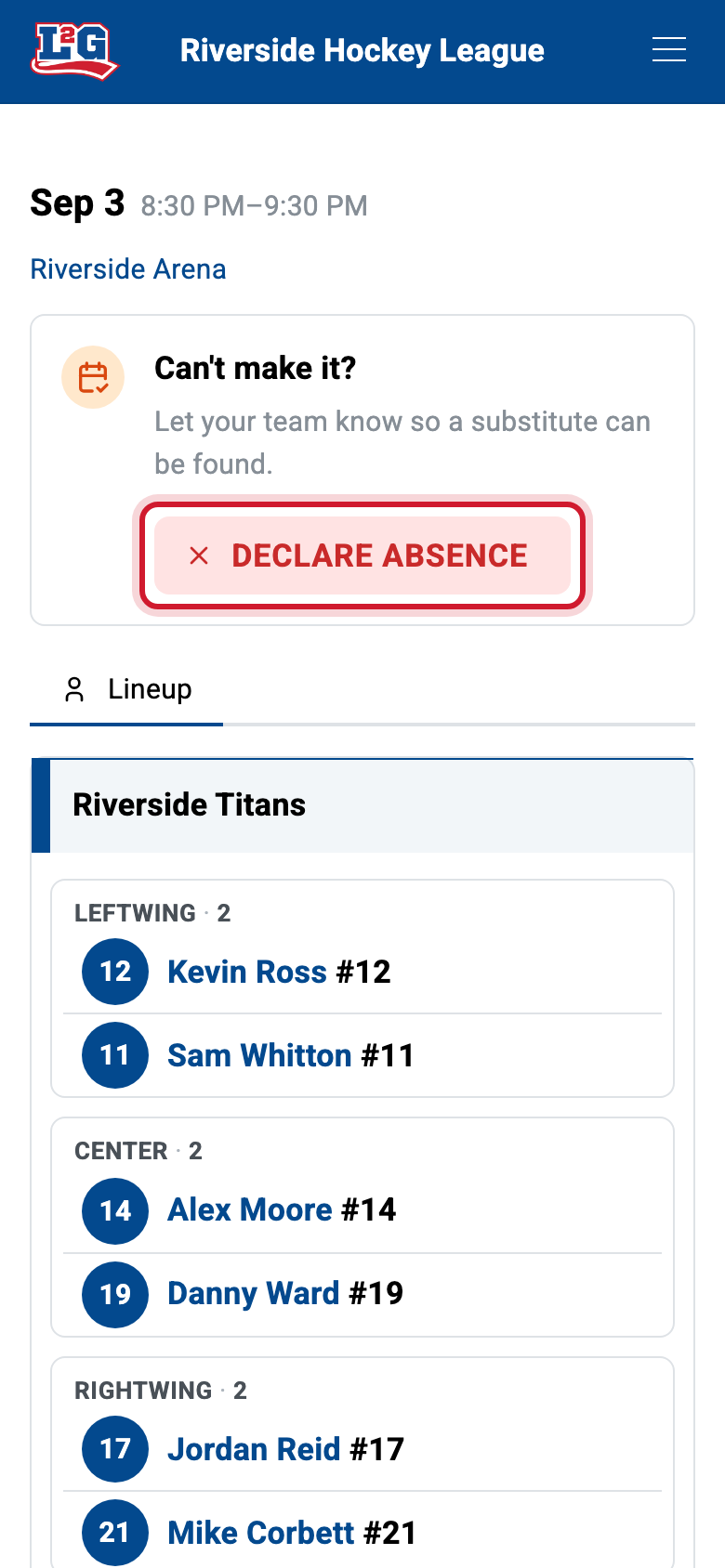
By default, regular players are presumed present for their games. A player who cannot make a game declares an absence with the green/red button on the game, and a declared absence is what can trigger a substitute search.
This model suits most leagues: attendance is the norm, and only exceptions need action from players.
Opt-in: players confirm their presence
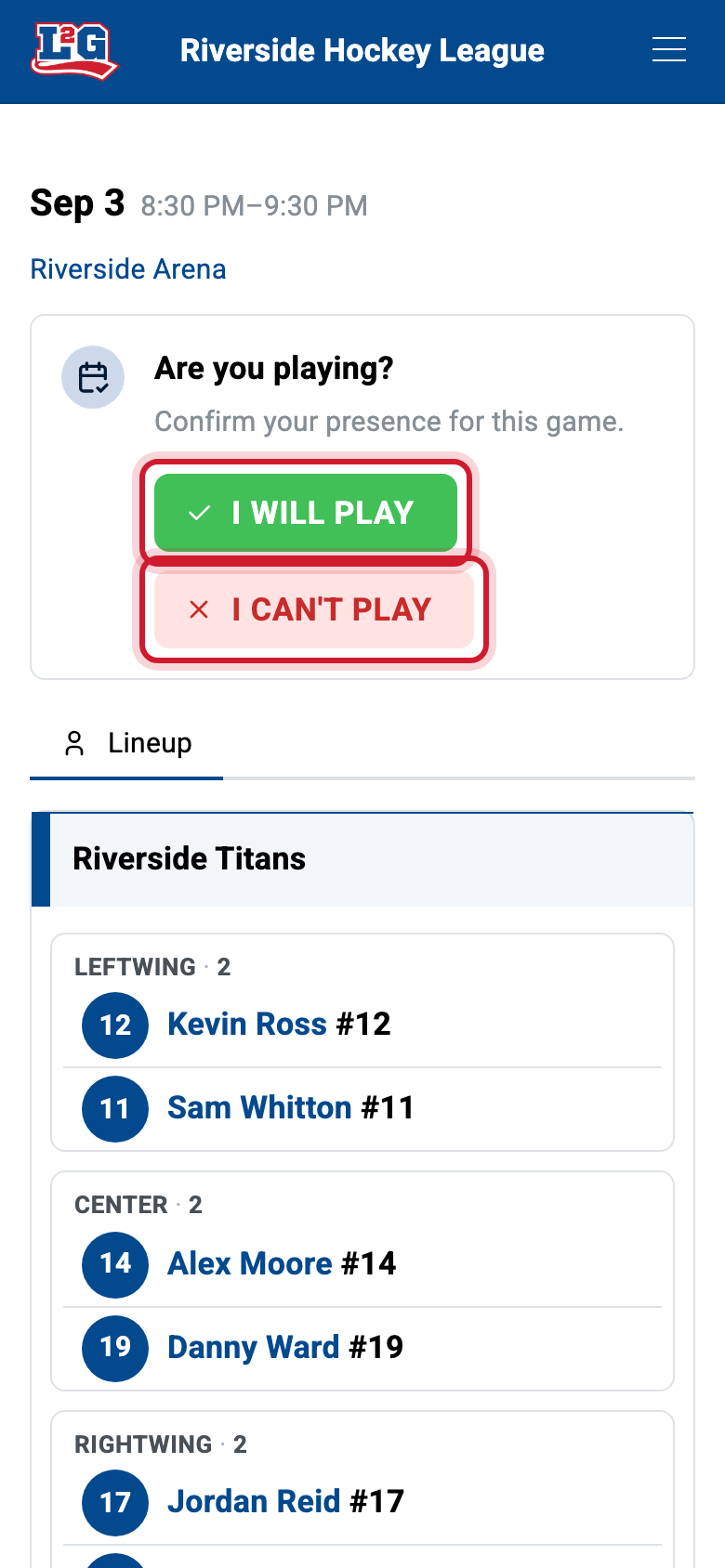
Some leagues prefer the opposite: no player is counted on until they have confirmed they will be there. In presence-confirmation mode, players are asked to confirm their presence for each game instead of only declaring absences.
Choose this model if your attendance is unpredictable (for example when silence from a player more often means “not coming” than “coming”) and you would rather chase confirmations than discover no-shows at game time.
Enabling confirmation mode
Presence confirmation is opt-in and is turned on per league by the League2GO team: contact us to have it enabled for your league. Once it is, the option Request presence confirmation appears in the Notifications tab of your league settings, under the game reminder, and you switch it on or off there. It is only offered while the game reminder is on, since that reminder is what asks players to confirm.
What players see
- Default mode: the player sees the game with the green/red button and only acts to declare (or cancel) an absence.
- Confirmation mode: the player is asked to confirm their presence for each game; managers can see who has confirmed and who has not answered yet.
For the player-side view of absences and games, see the player guide.
Questions? Contact us at info@league2go.com.