
If your league has activated online payments, you can pay your season fee (or your fee as a substitute) by credit card, from the League2GO website or the mobile app.
Paying your season fee
When your league charges you a season fee, it appears at the top of your schedule, on the website and in the mobile app.
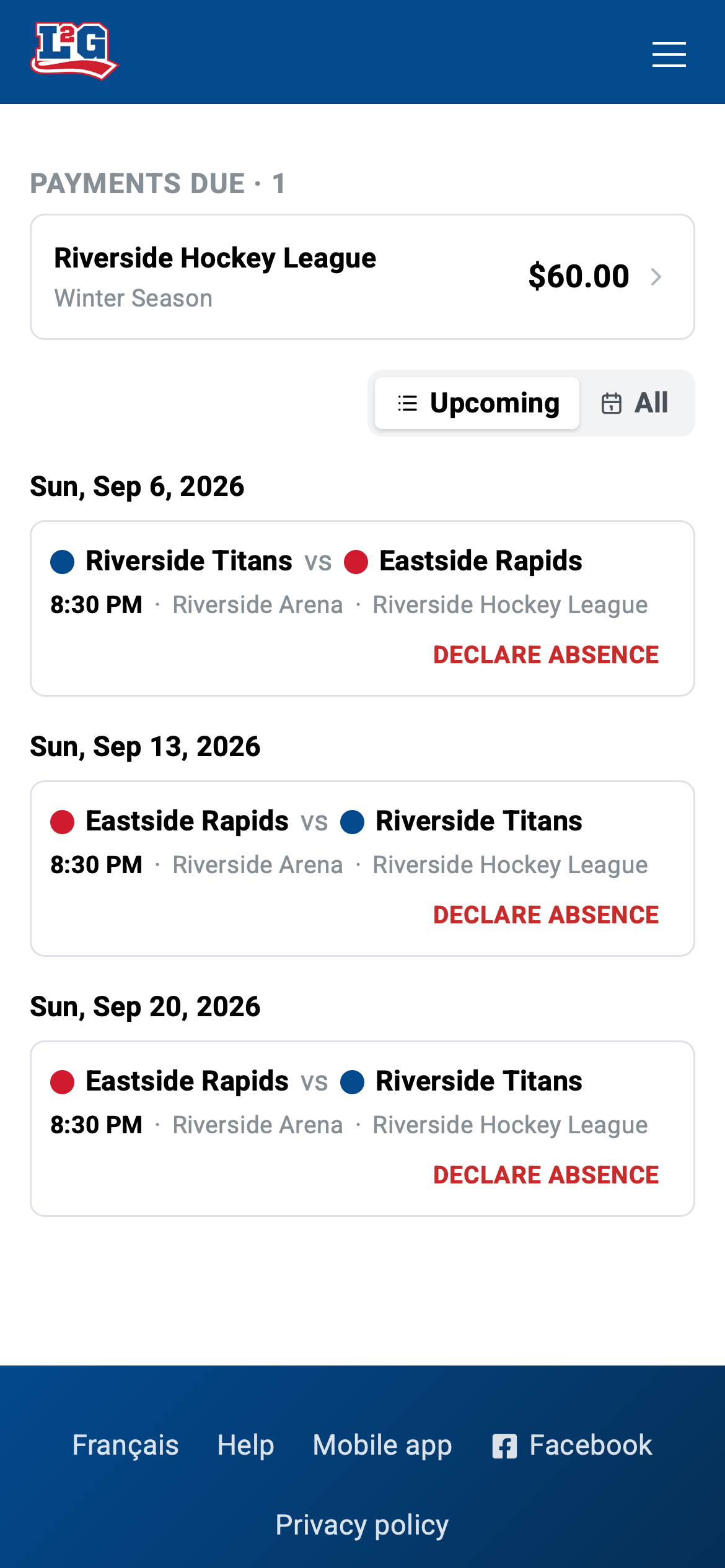
Tap the fee to see its details (the amount, and the due date and note if your league added them), then tap Pay now, enter your credit card information, and tap Pay.
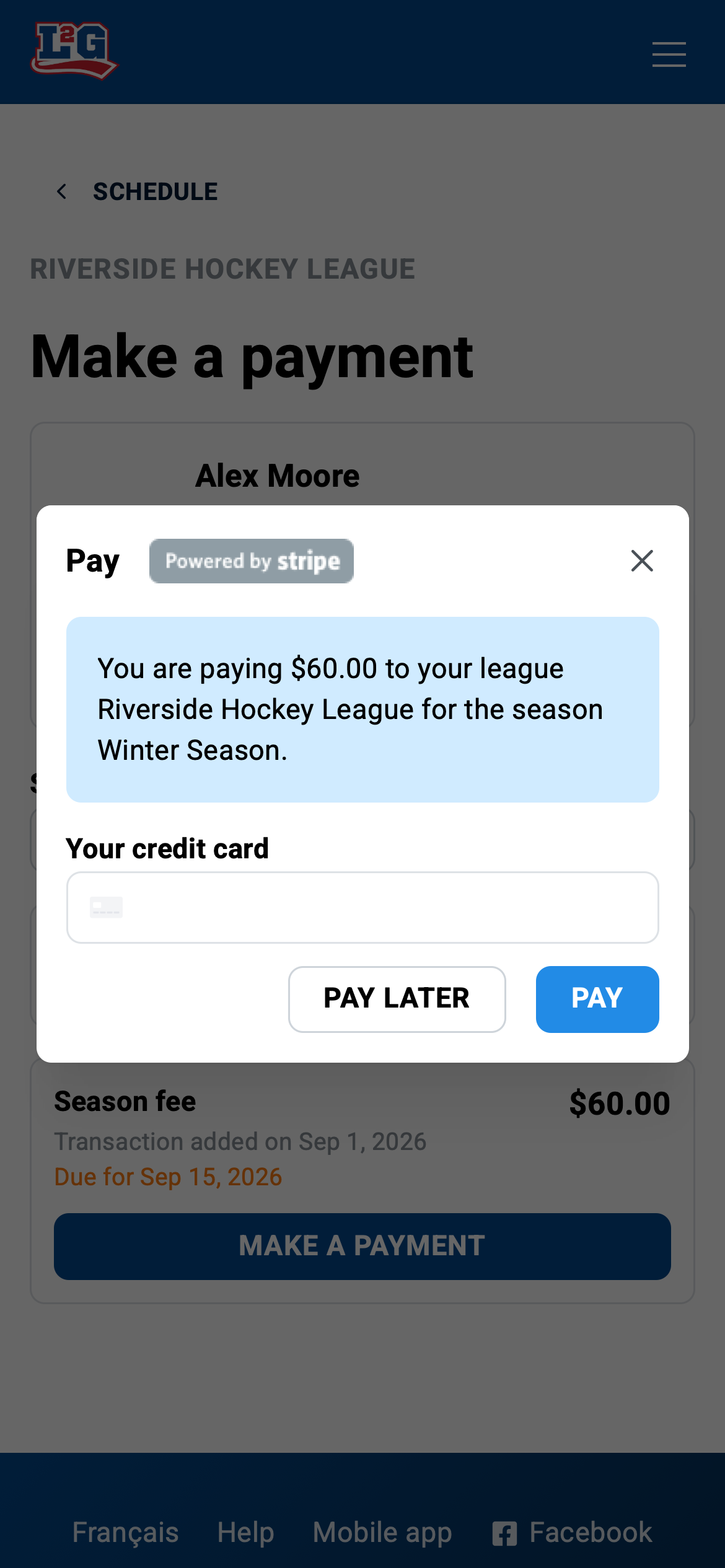
That’s it. Your league manager sees your payment as paid automatically. No need to tell anyone.
Paying as a substitute
If your league charges substitutes, a payment window appears when you accept a spot in a game. The first time, you enter your credit card; after that, your saved card makes it one tap.
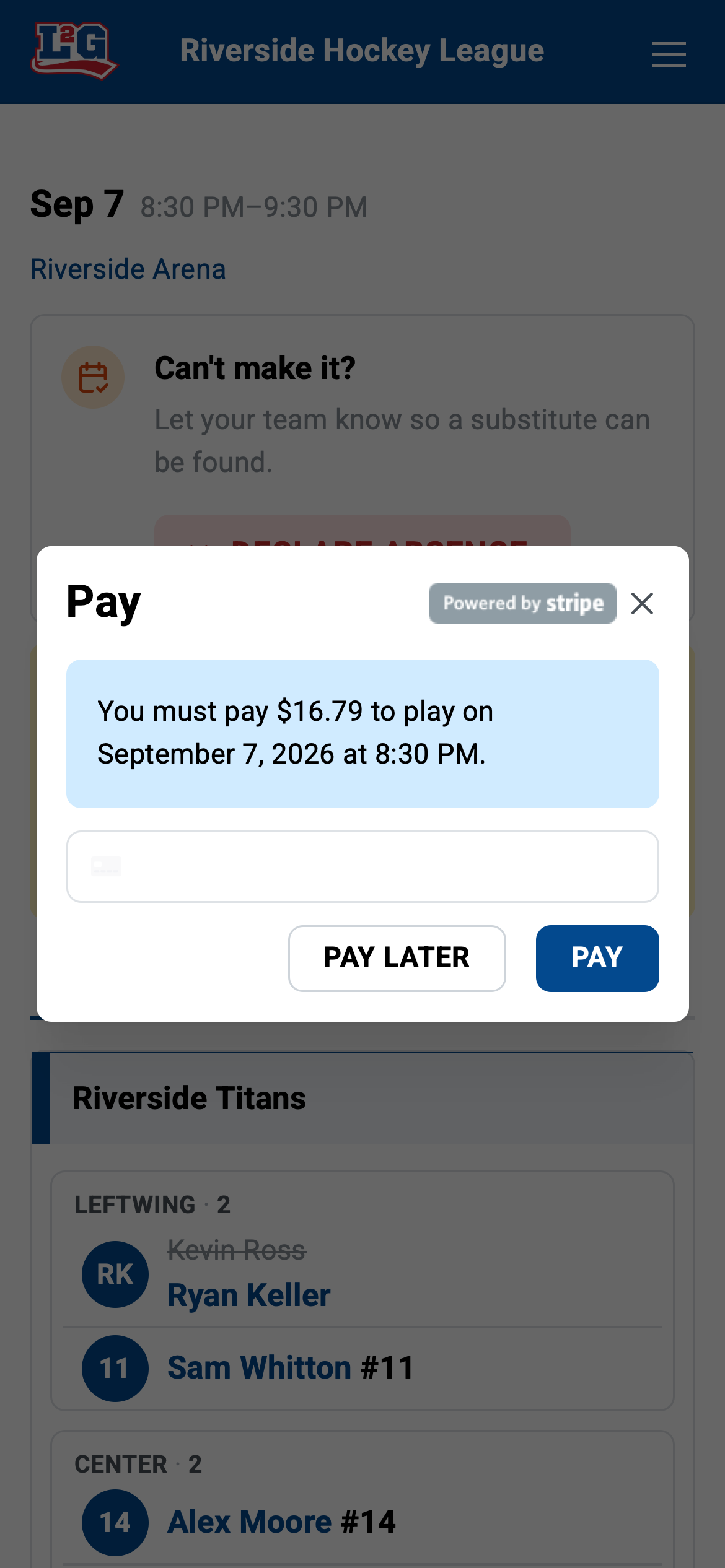
If you prefer to pay later, you can reopen the payment form from the game page, or pay the manager cash at the game. Until then, the unpaid amount stays visible on the game page.
Your balance
Any unpaid fee stays visible where it was created: a season fee at the top of your schedule, a substitution fee on the game page. Once you pay, the amount is marked as paid for you and for your league manager.
Changing your credit card
Your card is saved so you don’t have to retype it. To use a different card, simply enter the new card the next time you make a payment; it replaces the saved one.
Refunds
Contact your league manager for any refund. Payments go directly to your league’s own Stripe account, and the manager issues refunds from their Stripe dashboard.
League2GO support cannot refund you: the money never passes through League2GO. Not sure who runs your league? See who to contact.
Related articles
Questions? Contact us at info@league2go.com.